Uncategorized

Digital Marketing for Novices Comprehensive Guide to Getting Started.
Uncategorized

Digital Marketing for Novices: A Comprehensive Guide to Getting Started.

Digital Marketing for Novices: A Comprehensive Guide to Getting Started. Nowadays, one of the best ways for companies to connect with customers online is through digital marketing.  From a small local shop to a growing company, businesses use digital channels to attract customers, build trust, and increase sales. For someone new to online marketing, the number of tools and strategies can feel confusing. For this reason, novices in digital marketing should begin with basic ideas and doable actions. This guide explains the basics of digital marketing, the major types of online marketing, useful tools, common mistakes, and how beginners can start building valuable skills. What Is Digital Marketing? The practice of advertising a company, item, or service online is known as digital marketing. Instead of depending only on traditional advertising such as newspapers, television, or posters, businesses can connect with customers through websites, search engines, social media, email, and online advertisements. Among the most popular channels for digital marketing are: Reaching the right people at the right time with the correct message is the basic objective. Why Digital Marketing Is Important for Beginners Understanding digital marketing can be useful whether you want to start a business, build a career, freelance, or promote your personal brand. Unlike some traditional marketing methods, digital marketing allows you to track many parts of a campaign and understand how people interact with your business. Here are some important benefits: For beginners, digital marketing also offers many areas to explore. You do not have to master everything at once. Main Types of Digital Marketing Digital marketing includes several different strategies. You’ll have a solid foundation if you know what each one does. Search Engine Optimization (SEO) Enhancing a website to increase its visibility in search engine results is known as SEO. When someone searches for a product, service, or question, businesses want their relevant pages to appear in front of that person. SEO commonly includes: For example, a local business selling plumbing services can optimize its website for searches related to plumbing services in its city. Content Marketing The goal of content marketing is to produce informative content that appeals to and benefits a target audience. Content can include: Good information should provide answers to queries, resolve issues, or assist users in making wiser choices. Social Media Marketing Connecting with an audience using social media platforms like Facebook, Instagram, LinkedIn, YouTube, and others is known as social media marketing. Businesses can use social media to: Consistency is often more valuable than simply posting a large amount of content. Pay-Per-Click Advertising Pay-per-click, or PPC, advertising allows businesses to display paid advertisements to potential customers. Common examples include social media advertising platforms like Google Ads. A basic PPC campaign may involve: PPC can provide traffic quickly, but beginners should understand budgets, targeting, and conversion tracking before spending heavily. Email Marketing Email marketing helps businesses communicate directly with people who have subscribed or otherwise provided permission to receive messages. Businesses may use email to: The best email marketing is helpful rather than overly promotional. Affiliate Marketing Affiliate marketing is a performance-based approach where someone promotes another company’s product or service and earns a commission when a qualifying action takes place. It can be an interesting area for beginners who enjoy content creation, blogging, video, or audience building. Influencer Marketing Influencer marketing entails collaborating with content producers who already have a following. To expose a product or service to consumers who are likely to be interested in it, a brand may work with an influencer. The right partnership depends on audience relevance, trust, content quality, and campaign goals. How to Start Digital Marketing as a Beginner Attempting to learn everything at once is one of the most common blunders made by novices. Developing your skills gradually is a superior strategy. Step 1: Learn the Fundamentals Learn the fundamentals of SEO, content, social media, paid advertising, email, and analytics first. You do not need advanced knowledge on day one. Step 2: Choose One Area Pick one primary skill to develop first. For example: Specializing initially makes learning easier and gives you a clearer direction. Step 3: Build a Website Make a basic website so you can put everything you’ve learned into practice. A website also gives you something real to optimize, measure, and improve. For example, pankajrawat.com can serve as a platform for publishing digital marketing content and presenting digital marketing services. Step 4: Practice Your Skills Theory alone is not enough. Try applying your knowledge to a website, blog, social media account, or small project. Experiment, measure the results, and improve. Step 5: Learn From Your Data Digital marketing becomes much more powerful when you understand performance data. Pay attention to metrics such as: Digital Marketing Tools for Beginners The right tools can make learning and managing campaigns easier. Digital Marketing Area Beginner-Friendly Tools Main Purpose SEO Google Search Console Monitor search performance Analytics Google Analytics Understand website activity Website WordPress Create and manage a website Design Canva Create visual content Advertising Google Ads Run paid search campaigns Social Media Meta Ads Manager Manage social advertising Content WordPress/Canva Publish and present content You do not need dozens of tools to get started. Learn a few useful platforms well before expanding your toolkit. Common Digital Marketing Mistakes Beginners Should Avoid Learning digital marketing becomes easier when you know what not to do. Avoid these common mistakes: Digital marketing usually requires testing and continuous improvement. How Long Does It Take to Learn Digital Marketing? There is no single answer because digital marketing covers many different skills. A beginner can understand the basic concepts fairly quickly, but becoming confident requires consistent practice. A simple learning path looks like this: Learn → Practice → Build Projects → Measure → Improve → Repeat The more real projects you work on, the easier it becomes to connect theory with practical results. Digital Marketing for Small Businesses Small businesses can benefit significantly from a strong digital presence. A local company may not need a huge marketing

SEO (Search Engine Optimization)
Uncategorized

SEO (Search Engine Optimization)

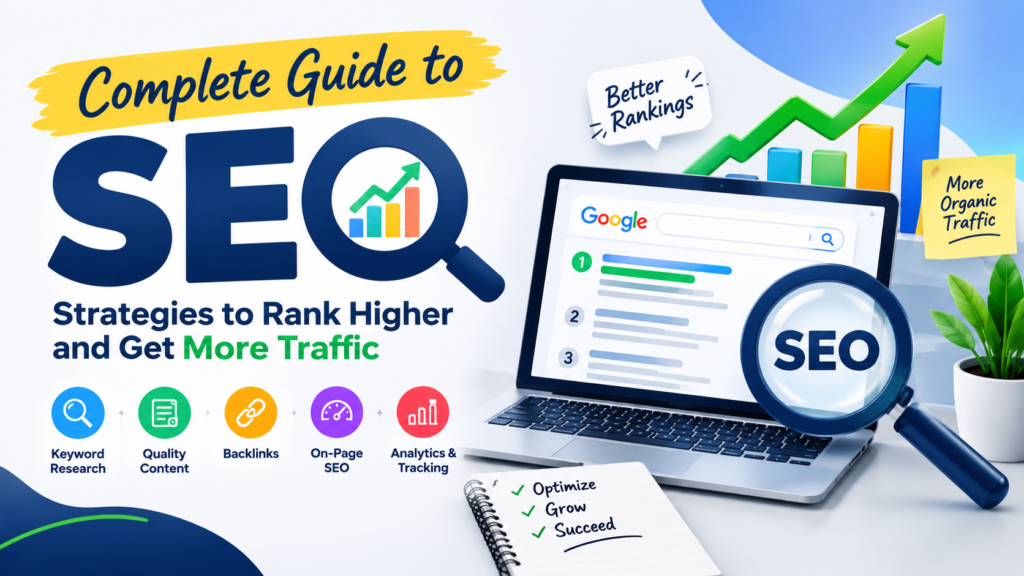
SEO: What Is Search Engine Optimization and How Does It Work? Introduction Imagine having a beautiful website, excellent services, and useful information, but hardly anyone can find your website on Google. This is where SEO (Search Engine Optimization) becomes important. SEO is the process of improving a website so that search engines can better understand its content and users can discover it through relevant searches. For businesses, effective SEO can help attract the right audience, increase website visibility, generate leads, and support long-term online growth. Whether you own a small business, personal brand, e-commerce website, or professional service website, understanding SEO can help you make better digital marketing decisions. In this guide, we will explain what SEO is, how SEO works, why SEO is important, different types of SEO, common SEO mistakes, and how businesses can use SEO to grow online. What Is SEO? SEO stands for Search Engine Optimization. It is the practice of improving a website’s content, structure, technical performance, and overall online presence to increase its visibility in organic search results. When someone searches for a product, service, question, or business on Google, the search engine evaluates many signals to determine which pages are most relevant and useful for that search. Good SEO helps your website communicate clearly with both users and search engines. For example, if you provide digital marketing services and someone searches for “digital marketing services for small businesses,” an SEO strategy can help your website become more relevant to that search. SEO commonly involves: SEO is not simply about adding keywords to a webpage. It is about creating a useful website that satisfies the searcher’s needs. How Does SEO Work? Search engines generally need to discover, understand, and evaluate webpages before they can appear in search results. The basic process includes: Crawling → Indexing → Ranking Crawling Search engine crawlers discover webpages by following links and accessing publicly available content. Indexing After discovering a page, a search engine can analyze and store information about that page in its index. Ranking When someone performs a search, search engines determine which indexed pages are most relevant to the query and present them in search results. This means SEO involves much more than targeting a single keyword. Your website should have useful information, logical organization, accessible pages, and content that satisfies the user’s search intent. Why Is SEO Important for a Website? A website without visibility can struggle to attract potential customers. SEO can help businesses build that visibility organically. Some important benefits of SEO include: SEO should therefore be viewed as part of a broader digital marketing strategy rather than a quick trick for obtaining rankings. What Are the Main Types of SEO? SEO has several important areas. Each area addresses a different part of website optimization. 1. On-Page SEO The components that are present on your webpages are the focus of on-page SEO. Important areas include: The goal is to make each page clear, useful, and relevant to its target audience. 2. Off-Page SEO Off-page SEO focuses on signals and activities outside your own website. One of the best-known examples is earning relevant backlinks from other websites. Other activities can include: The focus should be on earning genuine authority rather than manipulating links. 3. Technical SEO Technical SEO helps search engines access, understand, and process your website effectively. It can include: Technical SEO can become particularly important as a website grows and develops more pages. 4. Local SEO Local SEO is particularly useful for businesses that serve customers in specific geographic areas. Local SEO can involve: For example, a digital marketing professional serving businesses in a particular city may benefit from creating useful, locally relevant content rather than trying to target every location. SEO vs. PPC: What Is the Difference? SEO and PPC are both useful digital marketing channels, but they work differently. SEO PPC Focuses on organic search visibility Focuses on paid advertising Usually takes time to build Can generate visibility quickly Does not charge for every organic click Advertising costs can be based on clicks or other models Can provide long-term value Requires ongoing advertising budget Relies heavily on content, relevance, and website quality Relies on campaign targeting, ads, bids, and landing pages Many businesses can benefit from using SEO and PPC together. PPC can provide immediate exposure while SEO builds sustainable organic visibility over time. How to Start SEO for a New Website If you are launching a new website, avoid trying to optimize everything at once. Start with a clear process. Step 1: Understand Your Audience Identify who you want to reach and what problems they are trying to solve. Step 2: Perform Keyword Research Find the words and phrases your potential customers use when searching. Step 3: Analyze Competitors Study competing websites to understand what topics they cover and where you can provide something more useful or distinctive. Step 4: Create Helpful Content Develop content that answers real questions and provides practical value. Step 5: Optimize Your Website Improve titles, headings, URLs, internal links, images, navigation, and other important page elements. Step 6: Improve Technical SEO Make sure your key pages are accessible and comprehensible to search engines. Step 7: Build Authority Earn relevant mentions and links by creating content and resources that others genuinely want to reference. Step 8: Measure Results To find out how well your website is functioning, use tools like Google Search Console and analytics services. SEO is an ongoing process. Search behavior, competitors, websites, and search systems can change, so regular improvement is important. Keyword Research and SEO Keyword research is an important part of SEO because it helps you understand what your audience is searching for. Instead of targeting only broad keywords, consider using a mixture of: For example, “SEO” is a very broad keyword. A more specific search such as “SEO services for small businesses” can indicate a clearer commercial need. The goal is not to repeat a keyword as many times as possible. The goal is to understand the searcher’s

Difference Between Web Hosting and Web Publishing
Uncategorized

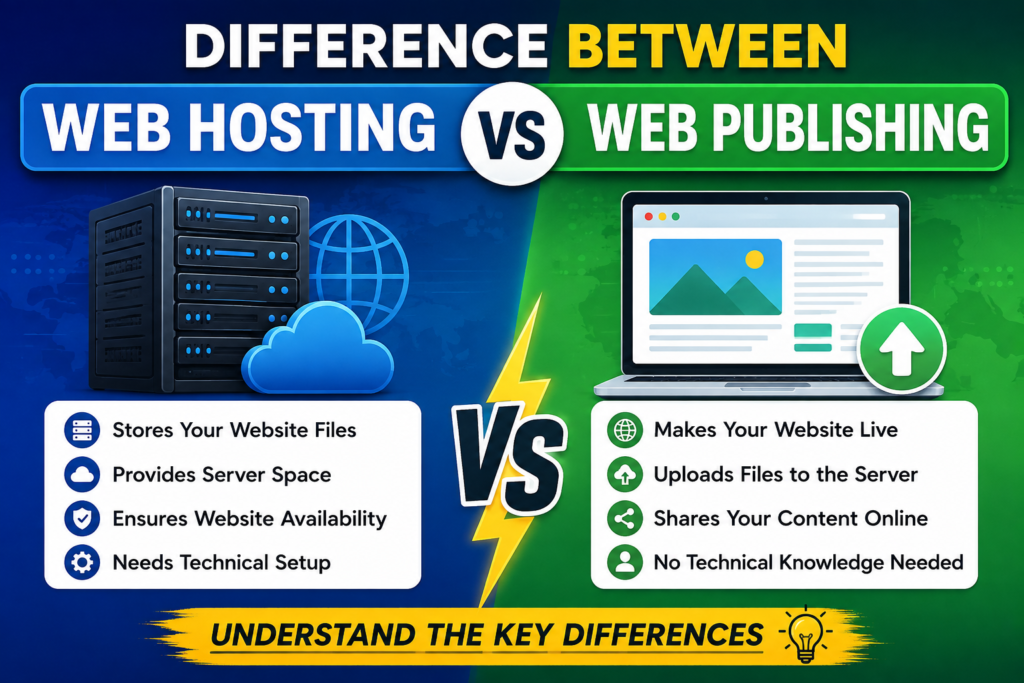
Difference Between Web Hosting and Web Publishing Introduction What Is Web Hosting? Give a simple, beginner-friendly definition of web hosting. How Does Web Hosting Work? Explain: What Does Web Hosting Provide? Use bullet points: What Is Web Publishing? Explain web publishing in simple language. Web publishing is the process of creating, preparing, uploading, and making website content available to internet users. Steps Involved in Web Publishing Examples of Web Publishing Difference Between Web Hosting and Web Publishing This should be your main keyword-focused section. Start with a short explanation before the chart. Comparison Chart Feature Web Hosting Web Publishing Meaning Service that stores website files online Process of making website content available online Main purpose Provides server space and resources Creates and publishes website content Main activity Hosting website files Creating, uploading, and updating content Requirement Hosting server/provider Website content and publishing tools Users Website owners, developers Website owners, writers, developers Example Shared, VPS, cloud hosting Publishing a blog or website Focus Infrastructure Content and website availability After the chart, explain the differences in short paragraphs. Web Hosting vs Web Publishing: Key Differences Explained 1. Difference in Purpose Explain that hosting provides the environment, while publishing is the process of putting website content online. 2. Difference in Function 3. Difference in Requirements Explain what is required for each. 4. Difference in Cost Discuss how hosting generally involves a hosting plan, while publishing can involve website development, CMS tools, content creation, or other resources. 5. Difference in Maintenance Explain that hosting requires server-related maintenance, while publishing involves regularly adding, editing, and updating website content. How Web Hosting and Web Publishing Work Together Explain the relationship between both concepts. Suggested Process Chart: Create Website Content ↓ Design & Develop Website ↓ Choose Web Hosting ↓ Upload Website Files ↓ Publish Website ↓ Connect Domain ↓ Website Becomes Accessible Online ↓ Update & Maintain Content Explain that web hosting and web publishing are not competing options. They serve different purposes and usually work together. Real-Life Example of Web Hosting and Web Publishing Use a simple analogy. 🏠 House Analogy This makes the concept easier for beginners to understand. Types of Web Hosting Briefly introduce the major types. Shared Hosting VPS Hosting Cloud Hosting Dedicated Hosting Keep this section concise because the main topic is web hosting vs web publishing. Common Web Publishing Tools Introduce tools that help people publish websites. Examples: Explain that platforms such as WordPress can make web publishing easier for beginners. Why Web Hosting and Web Publishing Matter for Digital Marketing This section is important for connecting the article to pankajrawat.com. Explain how both affect a digital marketing strategy. Website Speed Good hosting can help provide better website performance. SEO Website accessibility, performance, mobile experience, and technical quality are important SEO considerations. User Experience Visitors are more likely to engage with a website that works smoothly. Content Marketing Web publishing allows businesses to regularly publish: Lead Generation Well-published landing pages and service pages can help turn website visitors into leads. Finish with a subtle CTA for your digital marketing services. Common Mistakes in Web Hosting and Web Publishing Include practical mistakes beginners should avoid: Quick Difference Between Web Hosting and Web Publishing Provide a quick summary using bullets: Frequently Asked Questions What is the difference between web hosting and web publishing? Give a clear 2–3 sentence answer containing the primary keyword. What is web hosting in simple words? Explain it for beginners. What is web publishing? Define web publishing and give a simple example. Is web hosting required for web publishing? Explain how hosting and publishing typically work together. Is WordPress web hosting or web publishing? Clarify the difference between WordPress as a publishing/CMS platform and hosting services. What are examples of web hosting? Mention shared, VPS, cloud, and dedicated hosting. What are examples of web publishing? Mention publishing a blog, website page, landing page, product page, or service page. Which is more important: web hosting or web publishing? Explain that both have different purposes and are important for a functioning online presence. Conclusion SEO Setup for the Article SEO Title: Difference Between Web Hosting and Web Publishing: Complete Guide URL Slug: /difference-between-web-hosting-and-web-publishing/ Primary Keyword: difference between web hosting and web publishing Secondary Keywords: Suggested Meta Description: Learn the difference between web hosting and web publishing, how they work together, their key differences, examples, and importance for websites. ​

difference between web browser and web server.
Uncategorized

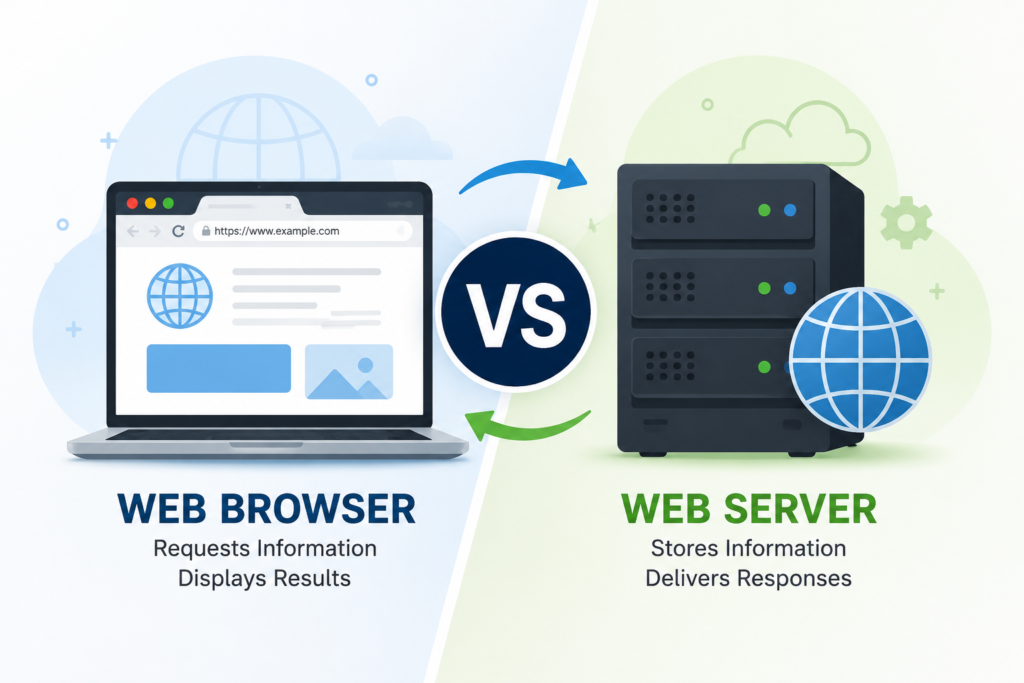
Difference Between Web Browser and Web Server – Complete Guide Introduction What Is a Web Browser? Explain what a web browser is in simple, beginner-friendly language. Key points: Examples of Web Browsers How Does a Web Browser Work? Explain the process in short steps: What Is a Web Server? Define a web server in simple terms. Key points: Examples of Web Servers How Does a Web Server Work? Explain: Browser Request → Web Server → Processing → Server Response → Browser Mention that servers can also communicate with databases and application code when a website requires dynamic content. Difference Between Web Browser and Web Server This should be the main section targeting the primary keyword. Comparison Chart Feature Web Browser Web Server Main purpose Accesses and displays websites Stores and delivers website content Used mainly by Website visitors Website owners/developers Location User’s device Server/hosting environment Function Sends requests and displays responses Receives requests and provides responses Examples Chrome, Firefox, Safari Apache, Nginx, IIS Main role Client Server Works with Website content Website files and requests After the chart, explain each difference briefly. Web Browser vs Web Server: Key Differences Explained 1. Difference in Purpose Explain that the browser is designed to display web content, while the server is designed to provide web content. 2. Difference in Function 3. Difference in Location Explain where browsers and servers generally operate. 4. Difference in Users 5. Difference in Examples Give common browser and server examples. 6. Difference in Communication Explain how HTTP/HTTPS allows browsers and servers to communicate. How Web Browser and Web Server Work Together Explain the complete journey of a website request. Suggested Chart: User ↓ Web Browser ↓ Internet / HTTP Request ↓ Web Server ↓ Website Files / Database ↓ HTTP Response ↓ Web Browser ↓ Website Displayed to User Add a simple real-world example, such as what happens when someone visits your website. Real-Life Example of Web Browser and Web Server Use a simple analogy to make the article human-friendly. Restaurant Analogy Explain that the browser requests information just as a customer requests food, while the server prepares and delivers the requested content. Why the Difference Between Web Browser and Web Server Matters for Digital Marketing This section will help connect the informational article with pankajrawat.com’s digital marketing services. Discuss: Website Speed A well-configured server and optimized website can contribute to faster loading. User Experience A fast, functional website provides a better experience for visitors. SEO Technical website performance, mobile usability, security, and accessibility can all matter to SEO. Website Security Explain the importance of HTTPS and secure server configuration. Conversion Rate A website that loads properly and provides a smooth experience can make it easier for visitors to take actions such as submitting forms or contacting a business. End this section with a soft CTA related to website optimization and digital marketing services. Common Web Browser and Web Server Examples Popular Web Browsers Popular Web Servers Keep this section concise to avoid unnecessary repetition. Common Misconceptions About Web Browsers and Web Servers Address beginner questions: This section can help capture additional long-tail searches. Difference Between Web Browser and Web Server: Quick Summary Provide a short bullet-point summary: This is useful for readers who want a quick answer. Frequently Asked Questions (FAQ) What distinguishes a web server from a web browser? Give a simple 2–3 sentence answer. Is Google Chrome a web browser or web server? Clarify that Chrome is a web browser. What is an example of a web server? Mention Apache, Nginx, Microsoft IIS, and LiteSpeed. How is communication between a web browser and a web server accomplished? Explain HTTP/HTTPS requests and responses. Is a web server necessary for a web browser to function? Explain the distinction between accessing locally stored content and accessing a website hosted online. Are web servers and web hosting the same thing? Explain the relationship in beginner-friendly language. What is the role of a web server? Describe how it gets requests and provides resources for the webpage. Which is more crucial, a web server or a web browser? Explain that they perform different but complementary roles. Conclusion Recommended SEO Setup Primary Keyword: difference between web browser and web server Secondary Keywords: Suggested SEO Title: Difference Between Web Browser and Web Server: Complete Guide Suggested URL Slug: /difference-between-web-browser-and-web-server/ Suggested Meta Description: Learn the difference between a web browser and a web server, how they work, key examples, and why both are important for websites and digital marketing. ​

Is a thumbnail for my blog clalled internet and web designing.
Uncategorized

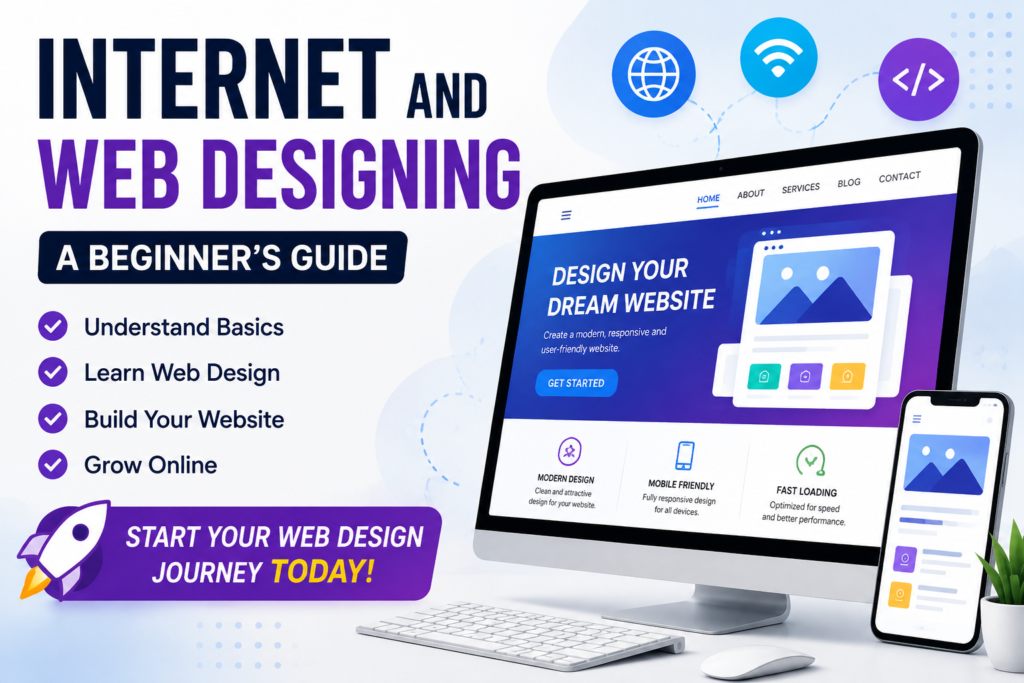
Internet and Web Designing: An Introduction to Website Development Introduction The internet has changed the way people learn, communicate, shop, and do business. Today, almost every business needs an online presence, and a well-designed website is one of the most important parts of that presence. This is where internet and web design become important. Understanding internet and web designing helps beginners see how websites are planned and presented online. Internet and web designing may sound complicated to beginners, but the basic concepts are easy to understand. Web designing is the process of planning and creating the appearance, structure, and user experience of a website. The internet, on the other hand, provides the environment through which people access websites from computers, smartphones, and other devices. If you want to learn internet and web design, you do not need to become an expert programmer immediately. You can start with simple concepts such as HTML, CSS, responsive design, and website structure. With regular practice, you can gradually create professional websites. Learning internet and web designing also helps you understand how visitors interact with a website. In this guide, you will learn the basics of the internet and web design, how websites work, how to create a website, and how web design connects with SEO and digital marketing. What Is Internet and Web Designing? What Is the Internet? The internet is a worldwide network that connects millions of computers, smartphones, servers, and other devices. It allows people to share and access information from almost anywhere. When you visit a website, your device communicates with a server through the internet. The server sends the required website files to your browser, which then displays the website. Some basic internet components include: Web browsersWeb serversDomain namesWeb hostingInternet connectionsWebsites and web applications What Is Web Designing? Web designing is the process of creating the visual appearance and structure of a website. It focuses on how a website looks and how easy it is for visitors to use. A web designer usually works with elements such as: Website layoutColorsTypographyImagesNavigationButtonsPage structureUser experienceMobile responsiveness Good internet and web design should make a website attractive while also making it simple and useful for visitors. Strong internet and web designing principles keep the layout clear, responsive, and easy to navigate. Internet vs. Web Designing The internet is the network that allows information to travel between connected devices. Web designing is the process of creating websites that people can access through that network. Why Is Web Designing Important? A website is often the first place where potential customers learn about a business. A poor website can make visitors leave quickly, while a professional website can build trust. Internet and web design are important because they can help businesses: Build a professional online presence.Attract potential customersDisplay products and servicesGenerate leadsSupport SEO campaignsImprove user experienceIncrease conversionsBuild brand credibility For a digital marketing strategy, website design is particularly important because SEO, advertising, social media, and content marketing often send visitors to a website. How Does a Website Work? Understanding how a website works is an important part of learning about the internet and web design. When someone enters a website address into a browser, several things happen: The visitor enters a domain name.The browser finds the appropriate server.The server receives the request.Website files are sent to the browser.The browser displays the website. What Is a Domain Name? A domain name is the address people use to visit a website, such as example.com.Compared to a numerical IP address, it is simpler for individuals to memorise. What Is Web Hosting? The server space needed to keep the files for your website is provided by web hosting. When someone visits your website, the hosting server delivers those files to the visitor’s browser. What Is a Web Browser? A browser is software used to access websites. Popular browsers include Chrome, Firefox, Edge, and Safari. Basic Skills You Need to Learn Web Design You can begin internet and web design by learning a few fundamental technologies. HTML The fundamental framework of a webpage is provided by HTML, or HyperText Markup Language. HTML can be used to create: HeadingsParagraphsImagesLinksListsFormsSections CSS A website’s appearance is managed using CSS, or Cascading Style Sheets. With CSS, you can change: ColorsFontsSpacingSizesLayoutsAnimationsResponsive behavior JavaScript JavaScript adds interaction and dynamic functionality to websites. For example, it can be used for interactive menus, sliders, pop-ups, calculators, and form interactions. Responsive Web Design A website can adjust to various screen sizes thanks to responsive design. DeviceImportant Design Requirement DesktopWide layouts and easy navigation TabletFlexible content and spacing SmartphoneSimple navigation and readable text A modern internet and web design approach should always consider mobile users. Step-by-Step Guide to Creating a Website Step 1: Decide the Purpose of Your Website Before designing anything, decide why you need the website. It could be a: Business websiteBlogPortfolioE-commerce websiteService websitePersonal website Knowing the purpose helps you choose the right structure and content. In internet and web designing, this planning stage helps create a website that matches the needs of its audience. Step 2: Choose a Domain Name Select a domain that is: ShortEasy to rememberEasy to spellRelevant to your brandProfessional Step 3: Purchase Web Hosting Choose hosting based on your website requirements. Consider speed, security, reliability, customer support, and scalability. Step 4: Choose a Website Platform Beginners have several options for creating websites. You can use: WordPressWebsite buildersHTML and CSSJavaScriptCustom development WordPress is often a convenient starting point for beginners who want to build websites without writing everything from scratch. Step 5: Plan Your Website Structure Before designing pages, create a simple sitemap. For example: Home → About → Services → Blog → Contact. A clear structure makes navigation easier for visitors and helps search engines understand your website. Step 6: Create the Website Design Start designing important sections such as: Keep the design clean instead of adding unnecessary elements. Effective internet and web designing focuses on useful sections, clear navigation, and a consistent visual experience. Step 7: Add Website Content Content should answer your

Scroll to Top